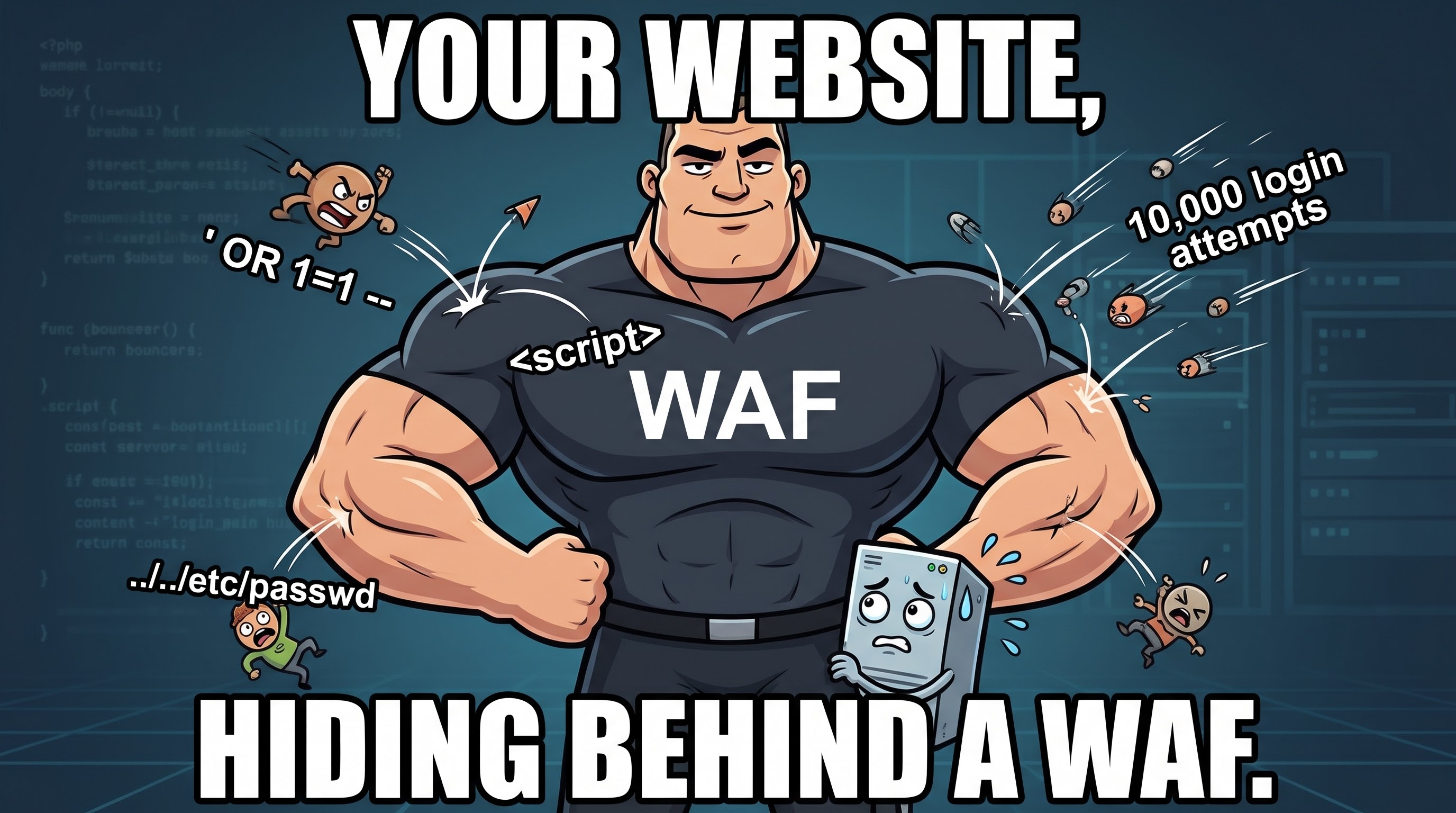
Picture a busy nightclub. There's a lock on the front door and a bouncer standing next to it. The lock decides whether the door is open at all. The bouncer decides who gets in and what they're carrying. He looks at your ID, glances inside your bag, and has a quiet word with anyone who looks like trouble.
A web application firewall, or WAF, is the bouncer for a website. Most people have never heard of it, yet a huge share of the sites you visit every day are standing behind one. Here's what it is, how it works, when websites use one, and a few true stories about WAFs doing their job, and sometimes not.
What is a web application firewall?
A WAF is a filter that sits between the internet and a web application. Every request on its way to the site passes through it first. The WAF reads the request, decides whether it looks normal or malicious, and then either passes it on, blocks it, or challenges it (for example with a "prove you're human" check).
The key word is application. A WAF doesn't just look at where a request came from. It reads what the request says: the URL, the form fields, the cookies, the headers and, for APIs, the JSON body. That is called working at Layer 7, the application layer of the network stack.
WAF vs a regular firewall
The word "firewall" confuses people, because there are several kinds. The simplest way to tell them apart is to ask what each one looks at:
| Network firewall | Web application firewall | |
|---|---|---|
| Looks at | IP addresses, ports, protocols | The content of web requests (URLs, forms, cookies, headers, bodies) |
| Layer | 3 and 4 (network, transport) | 7 (application) |
| Typical question | "Is this address allowed to reach port 443?" | "Is this request trying to trick the app?" |
| Analogy | The lock and the fence | The bouncer checking IDs and bags |
| Protects | The whole network | Web apps and APIs only |
Why you need both: an attacker attacking your login page connects to port 443 from a perfectly ordinary IP address, exactly like a customer. The network firewall has no reason to stop them. Only something that reads the request itself can notice that the "username" field contains database commands.
How a WAF works
The flow is simple:
Visitor  -->  WAF (inspects the request)  -->  Your website
                |
                +--> Bad request? Block it, log it, or ask for a CAPTCHA
Inside the WAF, requests are checked against a mix of methods:
- Signature rules. Patterns of known attacks, like a list of mugshots. The best-known free set is the OWASP Core Rule Set.
- Scoring. Instead of one rule deciding, each suspicious detail adds points. A request that passes a threshold is blocked. This reduces false alarms.
- Rate limiting. Ten login attempts in a second is not a human. The WAF slows or blocks the sender.
- Reputation. Known bad IP addresses, hosting networks and scrapers can be challenged or blocked outright.
- Bot detection. Telling real browsers from scripts, often by looking at headers and browser fingerprints.
Most WAFs can run in detect-only mode (log what would be blocked, but let it through) or blocking mode. Sensible teams start with detect-only, review the logs, tune out the false positives, and only then switch blocking on.
Where does the WAF live?
- Cloud or CDN WAF. You point your domain at a provider such as Cloudflare, AWS, Akamai or Fastly, and traffic flows through their network first. Easiest to set up, and it also absorbs big floods of traffic.
- Reverse proxy you run yourself. Open-source engines like ModSecurity or Coraza running in front of nginx or Apache. Free and flexible, but you maintain the rules.
- Hardware or virtual appliance. Common in large companies with their own data centres.
- Built into the app. Frameworks and plugins that filter requests from inside the application itself.
What a WAF protects against
Most of what a WAF catches comes from the OWASP Top 10, the industry's list of the most common web application risks. Three examples, in plain words:
- SQL injection. The attacker types database
commands into a form, hoping the site will run them. A classic is a
username of
' OR 1=1 --. A WAF recognises that shape and stops the request before the database ever sees it. - Cross-site scripting (XSS). The attacker sneaks
a script such as
<script>alert(1)</script>into a page so it runs in other visitors' browsers. The WAF flags script tags in places they have no business being. - Path traversal. Requests like
/download?file=../../etc/passwdtry to climb out of the web folder and read files they shouldn't. Easy to spot, easy to block.
Beyond those, WAFs also help with credential stuffing (bots trying millions of stolen passwords), scrapers, and application-layer floods that try to knock a site over by hammering it with requests.
When do websites use a WAF?
Typical triggers:
- The site takes logins, payments or personal data. Online shops and banks are the obvious cases. Payment card rules (PCI DSS) expect public-facing web apps to be protected against common attacks, and a WAF is the usual way to show it.
- It runs a CMS with plugins. WordPress sites are constantly probed for vulnerable plugins. A WAF blocks a lot of that background noise.
- The software can't be patched quickly. Legacy apps, vendor-controlled systems, or a hole announced on a Friday afternoon. A WAF rule can block the known exploit while the real fix is prepared. That's called virtual patching.
- It exposes an API. APIs get scraped and abused constantly, and WAFs can enforce rate limits and schema checks.
- Bots are costing money. Fake sign-ups, ticket scalpers, price scrapers, and password-guessing bots.
And when you probably don't need one? A small static site with no forms, no logins and nothing to steal. The host's own protections are usually plenty.
Three real stories
1. The WAF rule that broke a chunk of the internet (Cloudflare, 2019)
On 2 July 2019, Cloudflare pushed a new managed rule to its WAF to catch a type of XSS attack. Buried in the rule was a regular expression that could take enormously long to evaluate on certain input. Because the rule ran on every web request passing through Cloudflare's network, CPU usage spiked on servers worldwide, and visitors to millions of sites saw 502 errors. The impact lasted about 27 minutes, until engineers switched the WAF off globally. Cloudflare's own post-mortem is refreshingly honest about what went wrong, and they afterwards added staged rollouts and CPU safeguards for rule changes.
Lesson: a WAF is software that sees all your traffic. When the bouncer has a bad day, the whole queue suffers.
2. The scramble to hold the line (Log4Shell, December 2021)
When the Log4j flaw known as Log4Shell (CVE-2021-44228) was disclosed in December 2021, huge numbers of applications were suddenly exploitable, and most organisations had no idea where Log4j was hiding in their software. Security vendors and cloud providers quickly published WAF rules to block the exploit strings, buying teams precious time. That is virtual patching at its best.
But attackers quickly changed how the strings were written, splitting and disguising them so simple pattern rules missed them. Security researchers advised that WAF rules were a stopgap and that patching was still the real fix.
Lesson: a WAF can slow the bleeding. It can't heal the wound.
3. When the guard has the keys to everything (Capital One, 2019)
In 2019 an attacker stole personal data of roughly 100 million people from Capital One. According to the reporting by security journalist Brian Krebs, the entry point was a misconfigured open-source web application firewall running in the company's cloud environment. The attacker tricked it into making requests on their behalf (a trick called server-side request forgery, or SSRF), and because the WAF's cloud role had far broader permissions than it needed, it could reach files in storage buckets that held customer data. Amazon pointed out that the cause was how the WAF was set up, not a flaw in its cloud services. Krebs's write-up is a good read.
Lesson: a security tool is only as safe as its configuration. Give the bouncer a master key to every room and one trick can empty the building.
What a WAF can't do
- It doesn't fix bugs. It hides some of them from the outside. Patch and write secure code regardless.
- It produces false positives. A comment containing the word "select" might trip a SQL injection rule. Real customers get blocked until someone tunes the rules.
- It can be bypassed. Attackers disguise payloads (encoding tricks, odd formatting), and if your origin server's real IP address is exposed, they can skip the WAF and talk to it directly. Lock the origin down so it only accepts traffic from the WAF.
- It needs care. Rules need review, logs need reading, and "set and forget" is how a WAF slowly becomes decoration.
Protecting a vibe-coded site with a WAF
"Vibe coding" means building an app mostly by describing it to an AI tool (Lovable, Bolt, Replit, Cursor, Claude Code and friends) and shipping what comes out, often in an afternoon. It's a fantastic way to get an idea online. It also means a site can go live without anyone having thought about rate limits, input checks or who might be poking at the login form. A WAF is one of the cheapest safety nets you can add, and the easy versions need no security expertise.
First, the honest caveat
A WAF filters attacks on requests. It can't fix the mistakes that hurt vibe-coded apps most often. Check these before anything else:
- Secrets in the front end. An API key pasted into browser-side code is public to everyone who opens dev tools. Keep keys on the server and rotate any that have been exposed.
- Missing access rules. If your database is reachable from the browser (Supabase and Firebase setups are common examples), make sure row-level security or security rules are actually switched on. A WAF can't tell that "show me everyone's data" is a request your app should have refused.
- Unprotected admin pages and endpoints. Make sure every sensitive route checks that the user is logged in and allowed.
- Committed secrets. Look for
.envfiles or keys in your Git history.
Do those first, then add a WAF as a second layer.
Easy ways to add a WAF: free and paid options
You can start for free and upgrade later. Prices below are what the providers listed when I checked in October 2026, and they change, so treat them as a rough guide and look at the provider's pricing page before you decide.
| Option | Free | Paid | Effort |
|---|---|---|---|
| Your host's built-in firewall (Vercel as the example) | Yes: on all plans, with a few custom rules and IP blocks | Higher plans raise the limits; the full OWASP ruleset is Enterprise-only on Vercel | A few clicks |
| Cloudflare in front of your domain | Yes: managed ruleset and basic bot protection | Pro from about $20/month (billed yearly, $25 monthly); Business from about $200/month | About 15 minutes |
| AWS WAF | No free plan | Pay as you go: about $5/month per web ACL, $1/month per rule or managed rule group, and $0.60 per million requests | Moderate |
| Self-hosted (Coraza, BunkerWeb, SafeLine) | The software is free | You pay for the server and your own time | Highest |
1. Use the firewall your host already gives you
Free: some hosting platforms include a WAF in the dashboard. Vercel's firewall is available on every plan, including the free Hobby plan, and its DDoS mitigation runs automatically. On Hobby you get a few custom rules and a handful of IP blocks (block a country, a path or an address, or challenge suspicious traffic). Paid: the Pro plan raises the custom rule limit considerably, and the ready-made OWASP core ruleset is on Vercel's Enterprise plan. Other platforms differ, so search your host's docs for "firewall" or "WAF" to see what you get at each tier.
2. Put Cloudflare in front (works with almost any host)
This is the most popular route. You add your domain to Cloudflare, switch your nameservers, and make sure the DNS record for your site is proxied (the orange cloud). From then on, visitors reach Cloudflare first and your server second.
- Free plan: Cloudflare's free managed ruleset, basic protection from simple bots, and room for custom and rate-limiting rules. Plenty for a hobby project or an early product.
- Pro (about $20/month on yearly billing): more rules and better detection of easy-to-spot bots. A reasonable step up once the site earns money or keeps getting probed.
- Business (about $200/month on yearly billing): more rules again, protection against more sophisticated bots and basic bot analytics. Aimed at companies for whom downtime costs real money.
3. AWS WAF (paid, pay as you go)
If your app already runs on AWS, AWS WAF attaches to services such as CloudFront or a load balancer. There's no free plan, but a small site can cost a few dollars a month: you pay a monthly fee for each web ACL and each rule or managed rule group, plus a charge per million requests. Extras such as bot control, CAPTCHA and account-takeover protection cost more. Use the AWS pricing calculator to estimate your bill before you switch it on, as costs rise with traffic.
4. Self-host one if you run your own server (free software)
If your app sits on your own VPS, you can run an open-source WAF in front of it. Coraza with the OWASP Core Rule Set is available as a module for the Caddy web server, and tools such as BunkerWeb and SafeLine bundle a WAF with a dashboard. The software costs nothing, but you give up your time to tune and maintain it, and a mistake can block your own users. I'd pick this one only if you're already comfortable running servers.
Free or paid? A simple way to choose
- Start free if it's a side project, a prototype or a site with no payments or sensitive data. Free tiers from Cloudflare or your host cover the basics.
- Move to a paid plan when you take payments, store personal data, are being attacked regularly, need more custom rules than the free plan allows, need ready-made managed rulesets, or have compliance requirements (such as PCI DSS) to meet.
- Be careful with pay-as-you-go (AWS) if your traffic could spike. Set a billing alert first, because a bot flood can also run up your WAF bill.
A 15-minute checklist
- Turn the WAF on. Add Cloudflare, or enable your host's firewall.
- Enable the managed rules that block common attacks such as SQL injection and XSS.
- Rate-limit the sensitive endpoints: login, sign-up, password reset, contact forms, and anything that calls a paid API, such as an AI model. Bots love endpoints that cost you money for each request.
- Block obvious junk paths. Requests for
/wp-login.php,/.envor/.git/on an app that has none of those are always probes. - Start in log or challenge mode. Watch the logs for a few days to make sure real users aren't being blocked, then switch to blocking.
- Lock down the origin. If you use Cloudflare, make your real server accept traffic only from Cloudflare, or attackers can skip the WAF and hit it directly.
- Keep updating dependencies. A WAF buys time. It doesn't patch anything.
A small example from this site
This site is small and has no full WAF, but it does have a pocket-sized
version of the idea. Before any page is served, a filter checks the
request path, and anything that looks like a probe for a WordPress login,
a PHP file or a leaked .git or .env file is
refused with a 403. The server doesn't even have WordPress, but bots try
those URLs on every website on the internet, all day long. The
API endpoints also refuse requests that don't come from the site itself,
and every route has a rate limit. That's the same bouncer instinct, at
toy scale: look at what's being asked for, not just who is asking.
You can peek at what your own browser sends with every request, the information a WAF has to work with, using the HTTP Header Checker, or see your IP address, one of the signals WAFs use to decide whether to trust you.
Frequently asked questions
What is a web application firewall (WAF)?
A web application firewall is a filter that sits in front of a website or web app and inspects the HTTP and HTTPS requests sent to it. It blocks requests that look like attacks, such as SQL injection or cross-site scripting, and lets normal visitors through.
Is a WAF the same as a regular firewall?
No. A network firewall decides who may connect, using IP addresses and ports. A WAF reads the content of web requests, such as the URL, form fields, cookies and headers, so it can spot an attack coming from an address that a network firewall would happily allow.
Do I need a WAF for a small website?
A small static site usually doesn't need one. A WAF becomes worth it when the site has logins, forms, payments, a CMS with plugins such as WordPress, or an API, or when you can't patch software quickly.
Does a WAF slow down my website?
A well-run WAF adds only a few milliseconds per request. Cloud WAFs that sit on a CDN can even make a site feel faster, because the same network also caches content close to visitors. A poorly tuned or overloaded WAF can add delay or block real users.
Can I add a WAF to a site built with an AI coding tool?
Yes. The easiest ways are your hosting platform's built-in firewall, if it has one, or putting Cloudflare in front of your domain, which works with almost any host and has a free plan. A WAF doesn't fix problems like API keys exposed in front-end code or missing database access rules, so check those first.
Can a WAF replace patching my software?
No. A WAF can buy you time by blocking known exploits while you patch, which is called virtual patching, but attackers keep finding ways around rules. Patching and secure code are still the real fix.
The short version
- A WAF is a bouncer for your website: it reads each request and blocks the ones that look like attacks.
- It complements a network firewall, it doesn't replace it.
- Use one when you have logins, payments, plugins, APIs or software you can't patch fast.
- Start in detect-only mode, tune it, then block.
- Never treat it as a substitute for patching, and keep its permissions as small as possible.
- Built something with an AI tool? Fix exposed keys and open database rules first, then put a WAF (your host's or Cloudflare) in front.
Check the headers your browser sends
Related: What Is My IP · HTTP Header Checker · Browser Fingerprinting · What Is an Internet Proxy? · DNS Spoofing Attacks and Prevention